Excluding Products from Shopify Discounts: A Strategic Guide
As a Shopify store owner, you understand the importance of offering discounts to attract and retain customers. However, there may be instances where you want to exclude certain products from your discount campaigns.
Fortunately, Shopify provides features that allow you to customize your discounts and exclude specific items as needed.
In this blog post, we’ll explore various methods to exclude products from discounts on Shopify, ensuring you have the flexibility to implement targeted promotions. Let’s get started!
Do you have a large inventory on your Shopify store?
InventoryHero is a useful Shopify app designed to help online store owners manage their inventory more efficiently by automatically discounting non-moving or slow-moving items at the variant level.
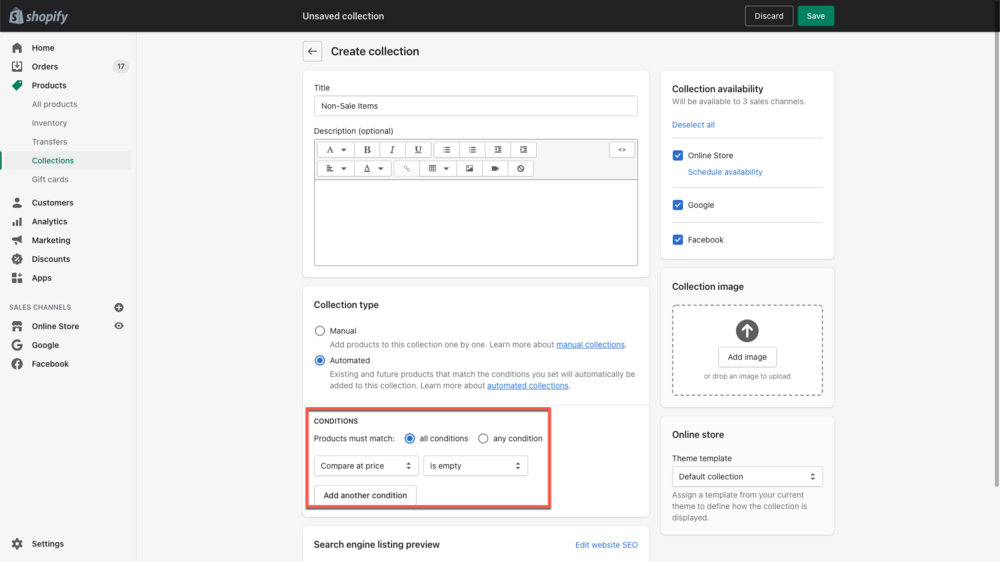
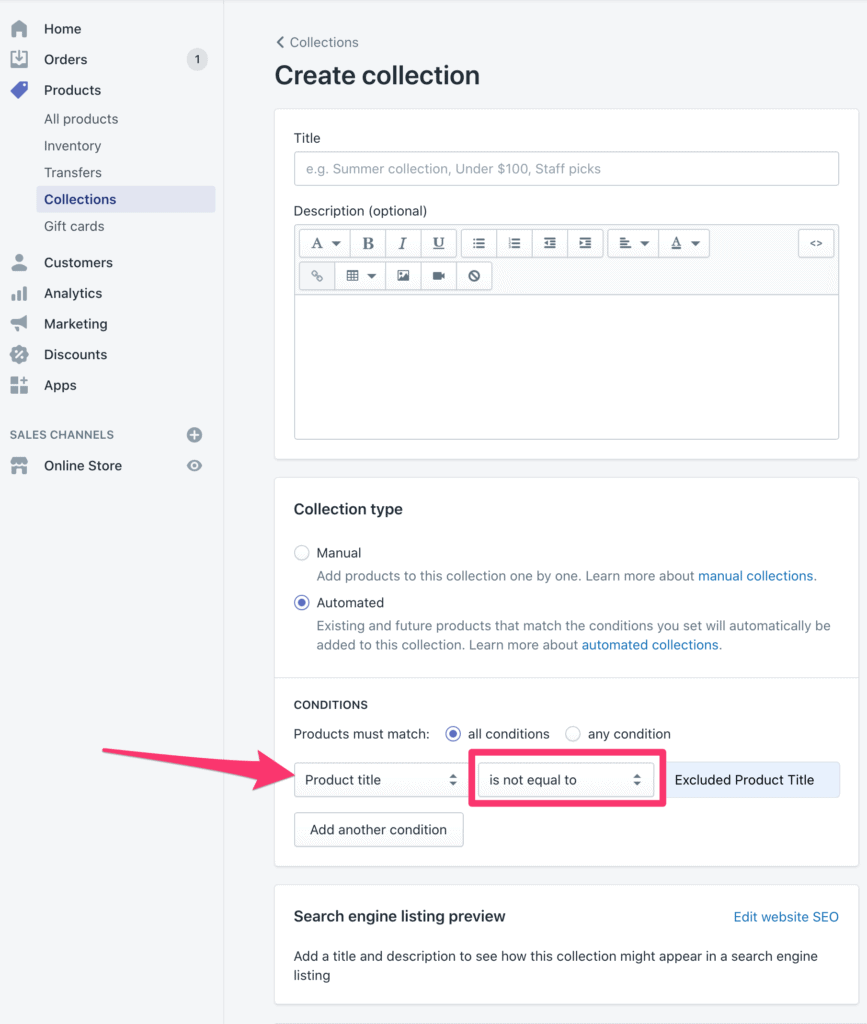
a. Configuring Discount Codes: When creating discount codes in your Shopify admin, you can exclude specific products by defining conditions that restrict the application of the discount. This allows you to tailor your promotions and avoid discounts on certain items.
b. Excluding Specific Collections or Product IDs: Shopify allows you to exclude entire collections or individual product IDs from discount code eligibility. By specifying these exclusions, you can ensure that particular items remain unaffected by your discount campaigns.
2. Creating Automated Discounts with Exclusions
a. Using Discount Apps: There are various Shopify apps available, such as Discounted Pricing and Bold Discounts, that enable you to create automatic discounts while excluding specific products. These apps provide more granular control over which items are included or excluded from your discount rules.
3. Alternative Strategies for Excluding Products
a. Manual Adjustments: If you prefer a more hands-on approach, you can manually adjust prices or apply discounts directly to specific products. This method gives you complete control over which items receive discounts and allows for more customized pricing strategies.
b. Tiered Pricing Exclusions: Shopify Plus users can take advantage of tiered pricing functionality to create pricing tiers that exclude specific products. This advanced feature offers greater flexibility in excluding products from discount structures based on customer segments or product categories.
4. Communicating Exclusions to Customers
a. Clear Communication: It’s crucial to transparently communicate any exclusions or limitations on your discount promotions. Clearly state which products are excluded from discounts on your website, product pages, or in the discount code’s terms and conditions. This helps manage customer expectations and avoids confusion during the purchasing process.
5. Testing and Monitoring
a. Thorough Testing: Before launching your discount campaigns, it’s essential to thoroughly test the exclusions you’ve set up. Ensure that the discounts are correctly applied or excluded for the desired products, collections, or scenarios.
b. Regular Monitoring: Keep an eye on your discount campaigns and review customer feedback. If any issues arise regarding excluded products or the application of discounts, promptly address and resolve them to maintain a positive customer experience.
Do you have a large inventory on your Shopify store?
InventoryHero is a useful Shopify app designed to help online store owners manage their inventory more efficiently by automatically discounting non-moving or slow-moving items at the variant level.
Shopify provides powerful tools to help you exclude specific products from your discount strategies. Whether you’re configuring discount codes, using specialized apps, or applying manual adjustments, the flexibility offered by Shopify allows you to implement targeted promotions tailored to your business needs. Remember to communicate clearly with customers regarding excluded products and regularly monitor your discount campaigns for any issues. By mastering the art of excluding products from discounts, you can maximize the effectiveness of your promotions and create a seamless shopping experience for your customers.