Driving Sales Through Strategic Discounting: A Shopify User's Guide
There’s no denying that everyone loves a good discount.
In the world of ecommerce, discounts can be a strategic tool to attract more customers, clear out inventory, or incentivize repeat purchases.
As a Shopify store owner, learning how to optimize discounts on Shopify is a crucial skill for the growth and success of your online business.
This comprehensive guide will show you how to set up and manage various discount strategies, ensuring your Shopify store thrives.
Do you have a large inventory on your Shopify store?
InventoryHero is a useful Shopify app designed to help online store owners manage their inventory more efficiently by automatically discounting non-moving or slow-moving items at the variant level.
These discounts provide a percent off the original price (e.g., 20% off).
2. Fixed amount discounts
These provide a set amount off (e.g., $10 off).
3. Buy X get Y discounts
For instance, buy one, get one free (BOGO) or buy two, get one 50% off.
4. Discounts on specific products or collections
These apply only to selected items or collections.
5. Volume discounts
These apply when customers buy in bulk (useful for wholesalers or B2B buyers).
6. Discounts without codes
These are automatic discounts that apply once the conditions are met, no code needed.
7. Discounts on second items
This type of discount offers a reduction on the second item purchased.
How to Set Up Discounts in Shopify
Step by step guide
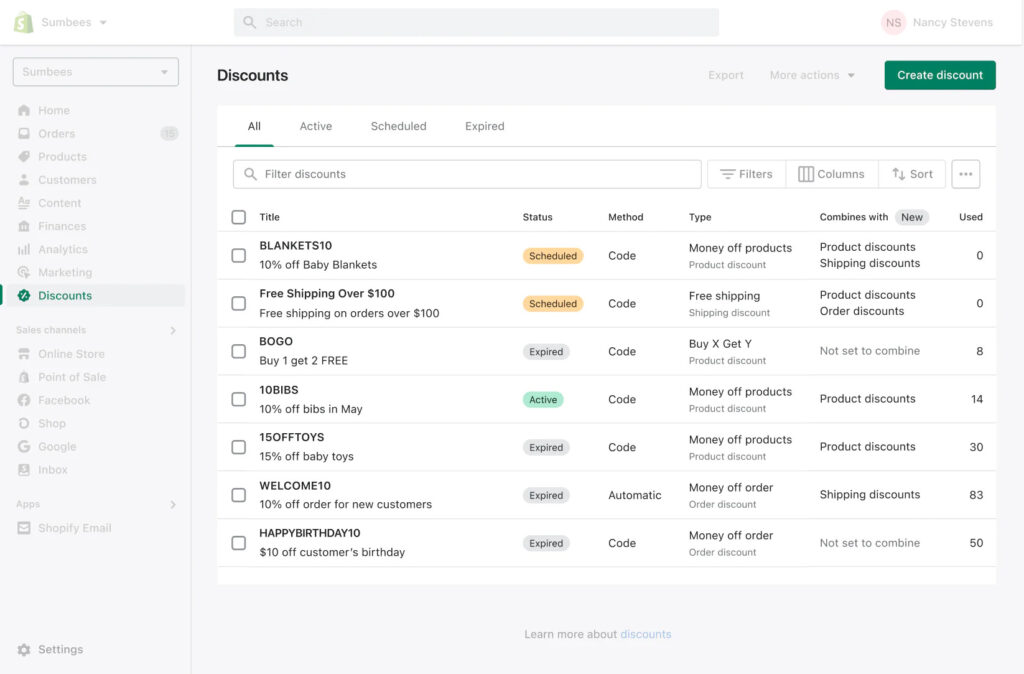
Navigate to the “Discounts” section in your Shopify admin panel.
Click on “Create Discount”.
Choose the type of discount you want to offer.
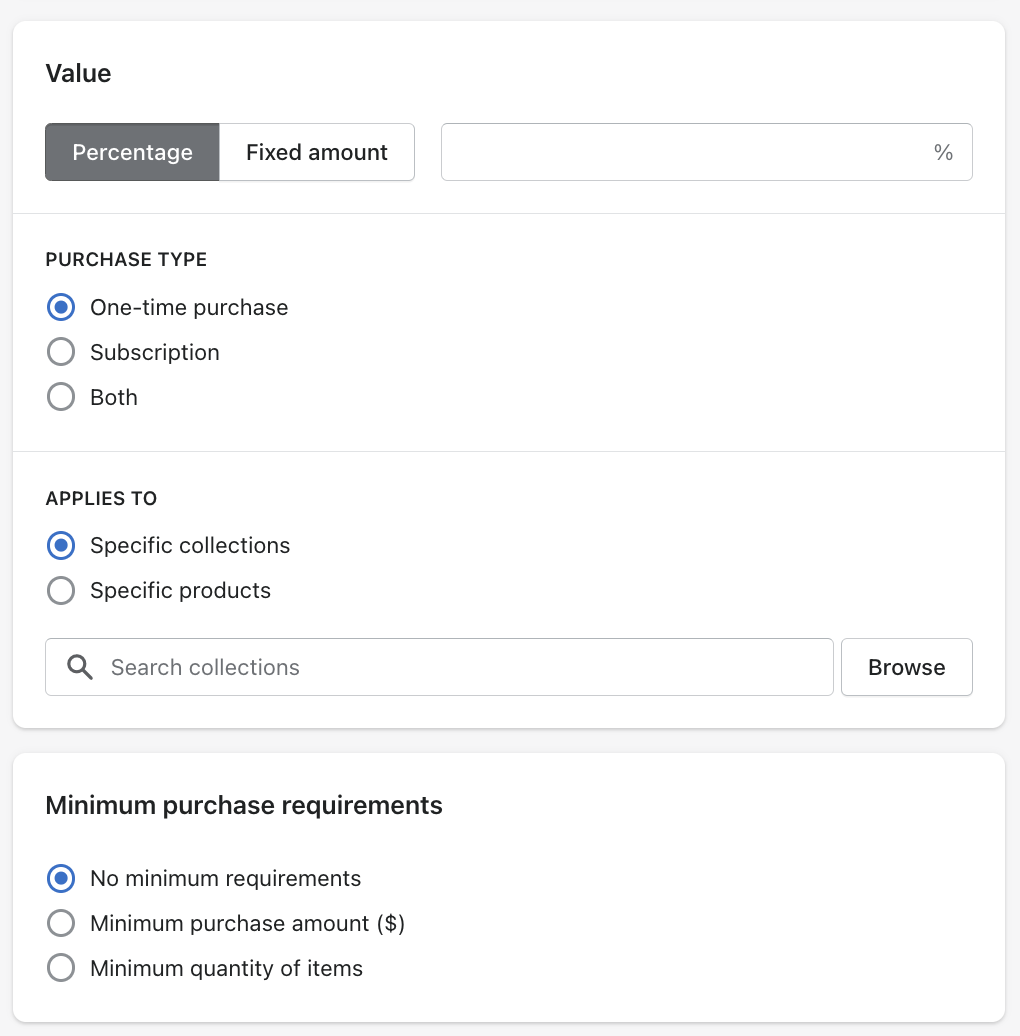
Specify the parameters of the discount, such as percentage or fixed amount, which items it applies to, and any conditions like a minimum purchase amount.
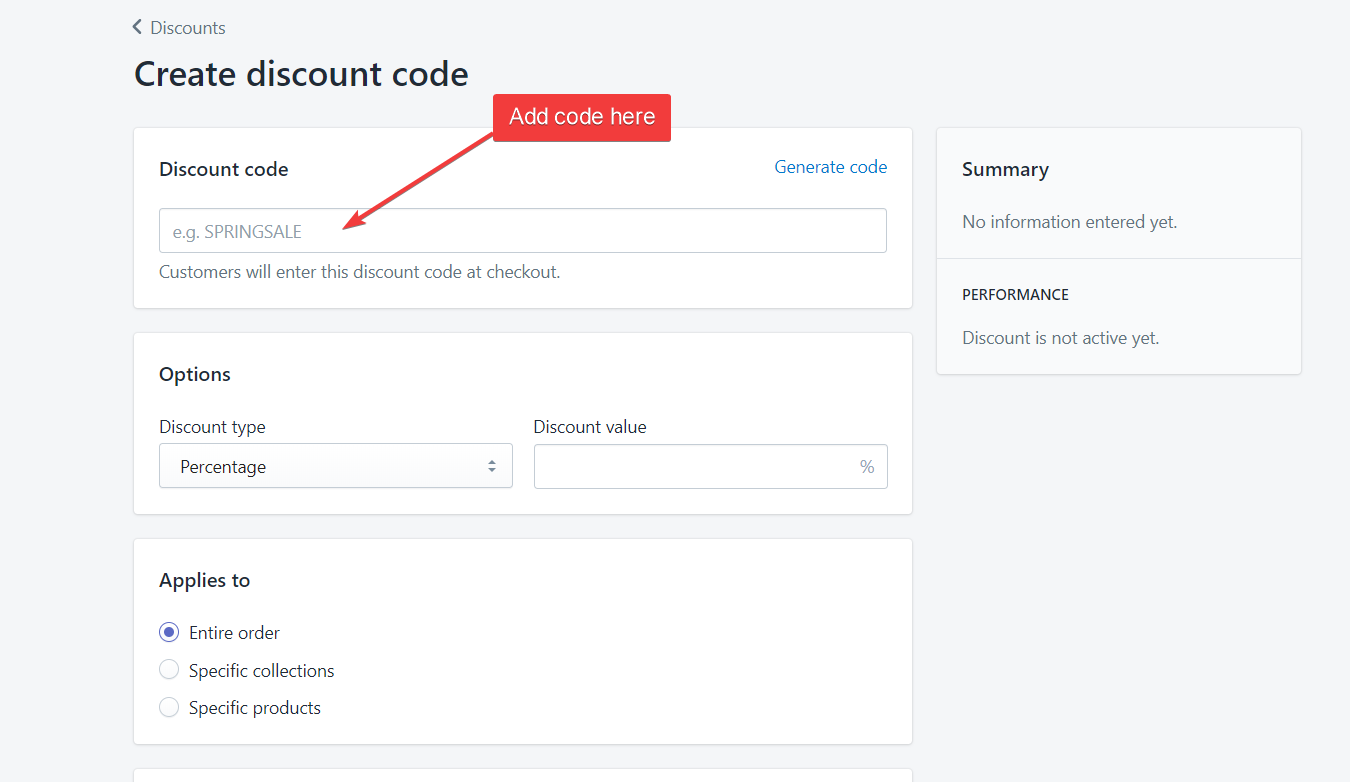
Assign a unique discount code (unless you’re setting up a discount without code).
Set the active dates for the discount.
Save your discount, and it’s ready for your customers to use!
Shopify Plus Discounts and Customer-Specific Discounts
If you’re a Shopify Plus user, you have access to even more advanced discount features. You can create scripts to offer more complex discount scenarios and create customer-specific discounts to reward loyal customers, for instance.
Do you have a large inventory on your Shopify store?
InventoryHero is a useful Shopify app designed to help online store owners manage their inventory more efficiently by automatically discounting non-moving or slow-moving items at the variant level.
Discounts are not only a powerful marketing tool to drive traffic and sales, but also a strategy to reward loyal customers and encourage repeat purchases. When used wisely, they can significantly enhance customer satisfaction and boost your store’s overall performance.
Remember, the key is to align your discount strategy with your overall business objectives. Whether it’s clearing out inventory, promoting a new product, or driving customer loyalty, Shopify’s discount features are here to help.